
Home
Scale Python across 1000 CPUs or GPUs in 1 second.
Burla is a high-performance parallel processing library for data-teams that iterate quickly.
Run vector embeddings, inference, or preprocessing inside your cloud with instant feedback.
Burla only has one function:
from burla import remote_parallel_map

my_inputs = list(range(1000))

def my_function(x):
    print(f"[#{x}] running on separate computer")

remote_parallel_map(my_function, my_inputs)
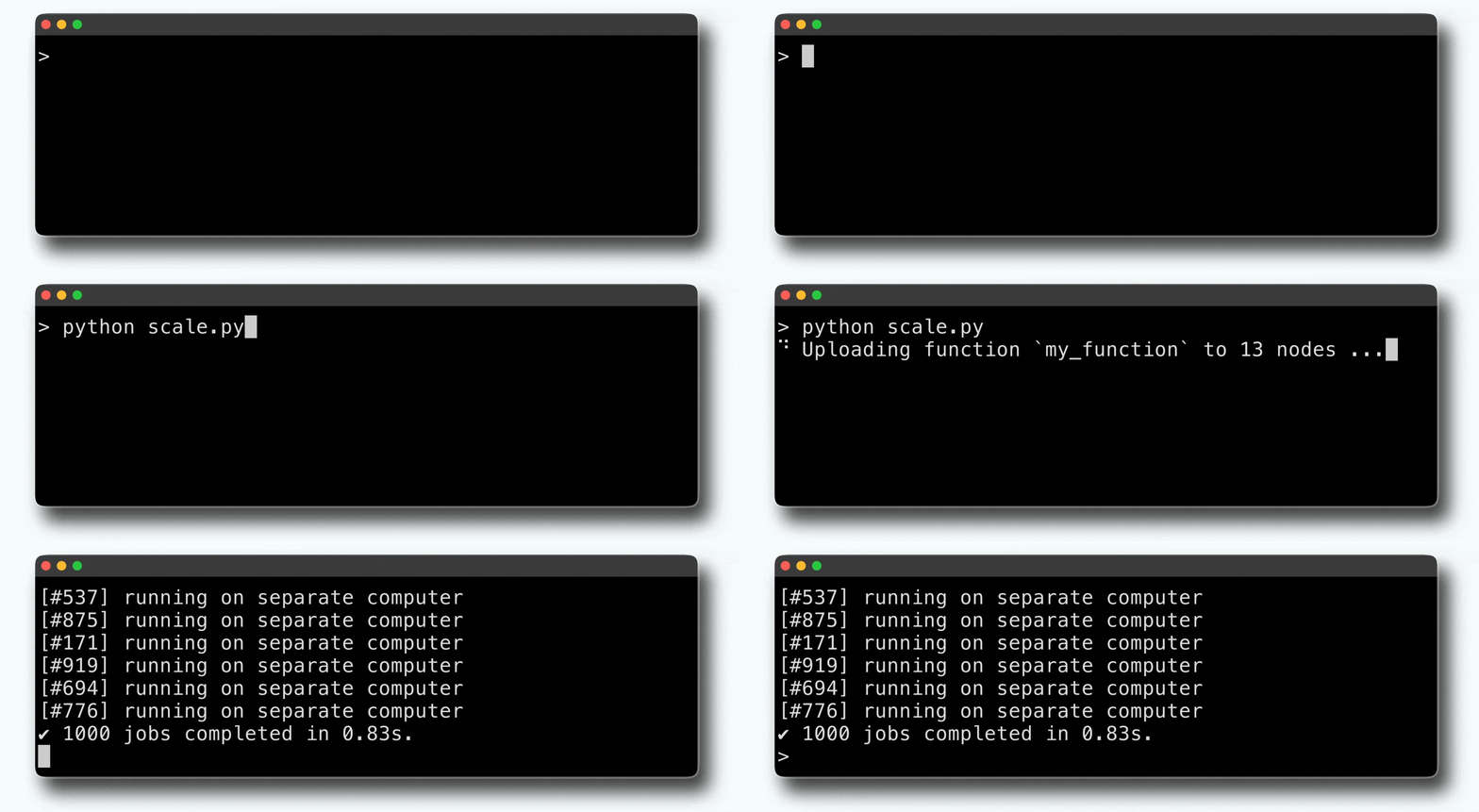
This runs my_function on 1000 vms in less than one second:
The cleanest way to build data-pipelines that scale.
Zero special syntax. Change containers, hardware, or cluster-size automatically mid-workload.
Burla scales up to 10,000 CPUs in a single function call, supports GPUs, and any Docker container.
Pipelines built with Burla are simpler, more maintainable, faster, and more fun to develop!
remote_parallel_map(process, [...], image="osgeo/gdal:latest")
remote_parallel_map(aggregate, [...], func_cpu=64)
remote_parallel_map(predict, [...], func_gpu="A100")
This creates a pipeline like:
.gif)
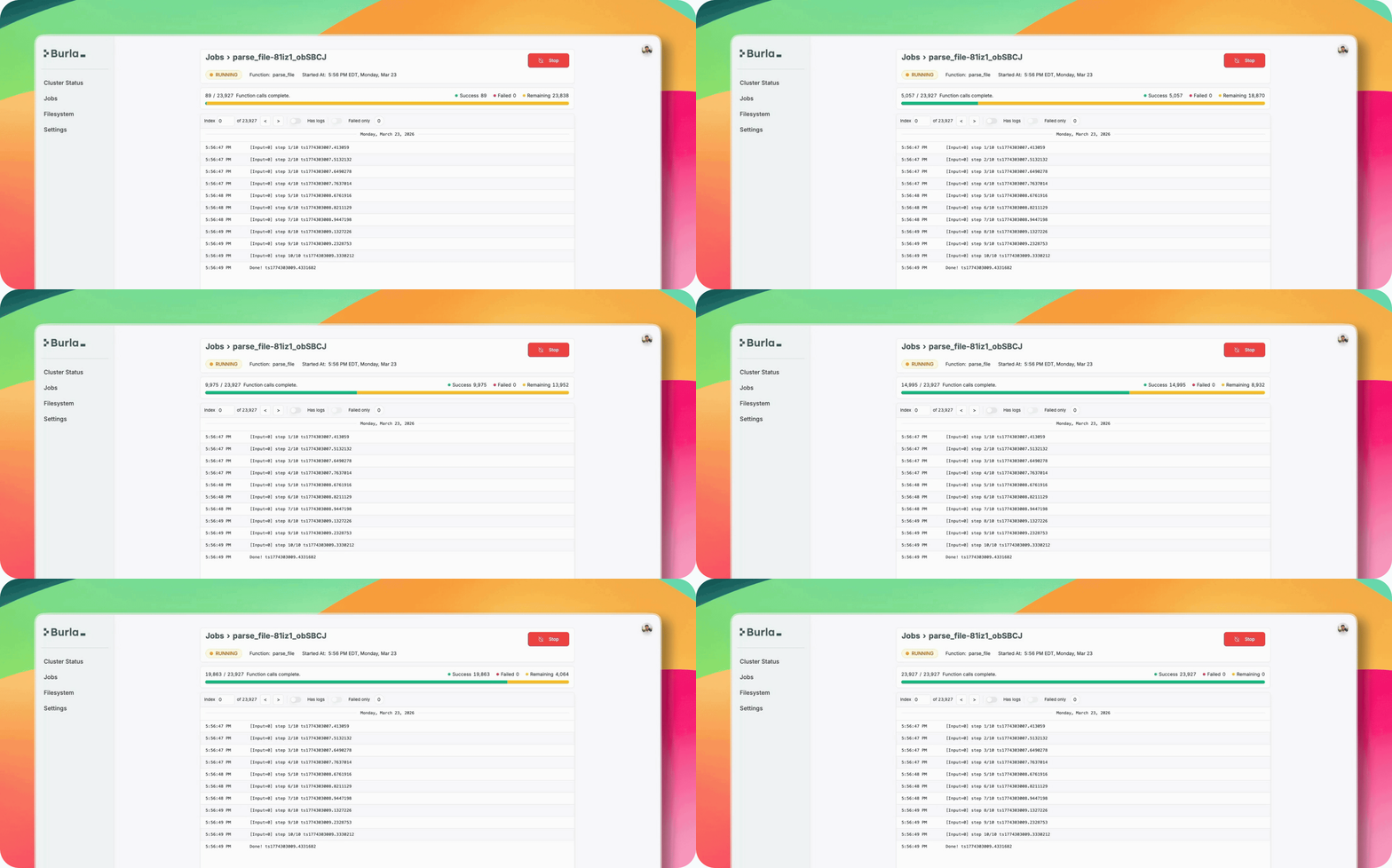
Monitor progress in the dashboard:
Cancel bad runs, filter logs to watch individual inputs, or monitor output files in the UI.
How it works:
Remote development, local feel. With Burla hardware is defined
return_values = remote_parallel_map(my_function, my_inputs)When functions are run with remote_parallel_map:
- Anything they print appears locally (and inside the dashboard).
- Any exceptions are thrown locally.
- Any packages or local modules are (very quickly) cloned on remote machines.
- Code starts running in under one second! Even with millions of inputs or thousands of machines.
Features:
📦 Automatic Package Sync
Burla automatically (and very quickly) clones your Python packages on every remote machine where code is executed.
🐋 Custom Containers
Easily run code in any Docker container.
Public or private, just paste an image URI in the settings, then hit start!
📂 Network Filesystem
Need to get big data into/out of the cluster? Burla automatically mounts a cloud storage bucket to a folder in every container.
⚙️ Variable Hardware Per-Function
The func_cpu and func_ram args make it possible to assign big hardware to some functions, and less to others.
Pricing:
Free for Hobbyists. Compute prices the same as Google Cloud.
| ✔ $100/month per Enterprise User. | ✔ $100/month per Enterprise User. |
|---|---|
| ✅ Free for all non-commercial use. | ✅ 100% Identical pricing to Google Cloud. |
| ✅ $500 in free credits for qualified users. |
Getting Started:
Self-Host with one command:
Run burla install to deploy our self-hosted web-service.
Learn more about permissions and installation in our getting started guide:
Try the 1000-CPU Quickstart, it's free and takes 2 minutes:
- Sign in using your Google or Microsoft account.
- Run our quickstart in this Google Colab notebook:
Questions?
Schedule a call, or email jake@burla.dev. We're always happy to talk.